Kinzoo: Fun All-Ages Messenger
- 4.7
- Rating
- 1.00M
- Installs
- Free
- Price

 Analysis by App-foxy
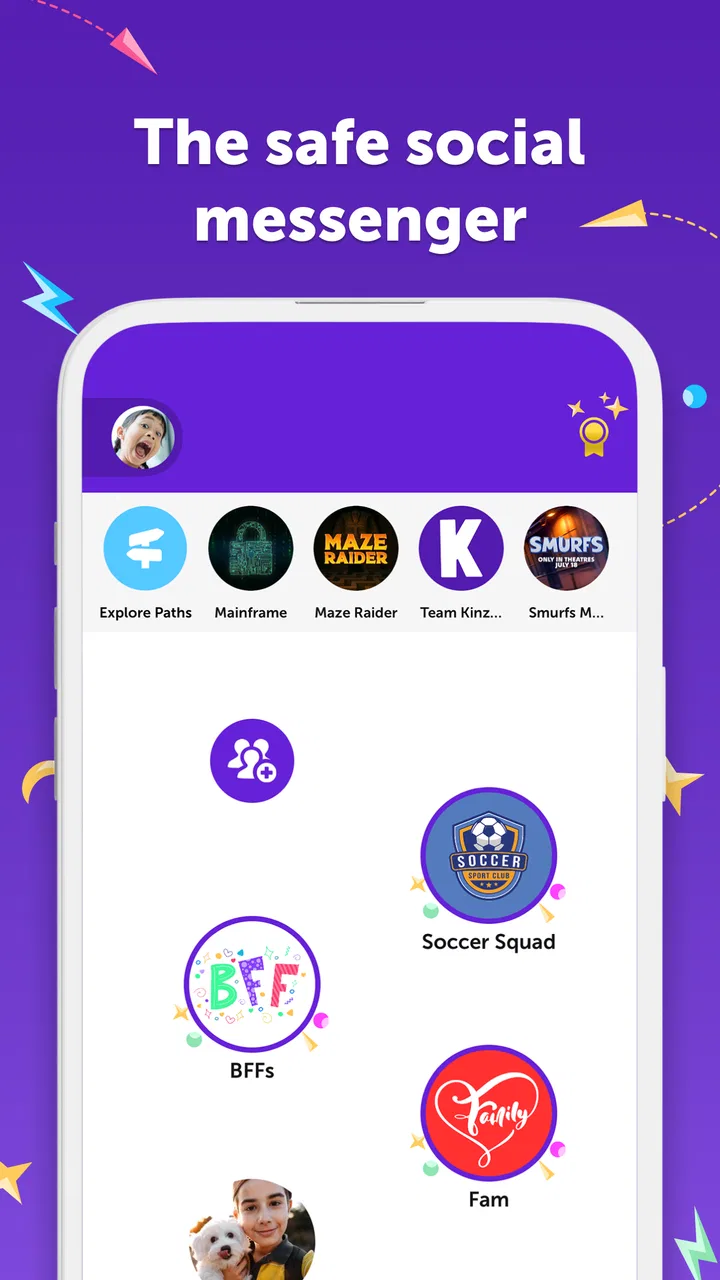
When I look at Kinzoo: Fun All-Ages Messenger, the feature that matters most is its attempt to bring video calls, messaging, stories, and simple messenger games into one social space that families can share. That combination changes the feel of the app. It is not simply another chat tool, and it is not trying to be a full entertainment platform either. In my experience, its value comes from making a conversation easier to continue when talking alone is not enough.
I tested it with a family-centered mindset rather than treating it like a standard social network. The result is an app that feels most useful when adults want to stay connected with children or relatives through short, friendly interactions. The interface and content direction are aimed at broad audiences, and the Everyone age rating reflects that positioning. Kinzoo Technologies Inc. has built it as a free social app, with optional in-app purchases ranging from $0.99 to $49.99 per item.
The central idea is simple: a message can become a call, a game, or a shared story without asking everyone to move to a different service. That sounds like a small convenience, but it affects how naturally people use it. A child who does not feel like having a long conversation may still join a quick game. A relative who is not nearby can read or discuss a story together. I found that flexibility more important than any individual tool.
You May Also Like

 Blood Strike: 2.5 Anniversary
Blood Strike’s Loadouts Turn Every Drop Into a Tactical Gamble
A close look at Blood Strike’s custom loadouts: how fast access to signature weapons reshapes its battle royale rhythm, rewards preparation, and narrows the gap between fights.

 Pandora - Music & Podcasts
Pandora’s Music Is Easy to Start, but Harder to Recover
Pandora’s strength is its low-effort path from a seed to a station. Its weak spot is how much confidence it asks you to place in connection, setup, and quiet recovery.

 8 Ball Pool
 Is Built on Rivalries, Rematches, and Routine
A close look at the rivalries, rematches, shared routines, and unanswered safety questions that turn a quick pool match into a persistent mobile community.

 Samsung Music
’s Quiet Strength Is Playing What You Already Own
Its reach comes less from spectacle than from dependable access to a personal library. That simplicity is both the app’s strongest retention engine and its ceiling.

 AccuWeather: Weather Radar
AccuWeather Review: A Quick, Clear Forecast for Everyday Decisions
For everyday plans, the best forecast is the one you can understand quickly. AccuWeather makes rain timing, radar, and local conditions easy to act on, with a few trade-offs.

 Hill Climb Racing
Why Hill Climb Racing Still Turns Crashes Into One More Run
A tiny car, a bumpy hill and one more upgrade: Hill Climb Racing keeps resurfacing because its simple chaos makes every near-miss feel personal.
More From Our News Desk
View All News


Why the all-ages approach changes messaging
Most familiar messaging apps are designed around fast text, photos, voice notes, and video. They are excellent when everyone already knows what to say and when the group is comfortable with the same communication style. Kinzoo takes a different route by treating conversation as something that can include playful activities and reading, not just an exchange of messages.
That makes the app especially interesting for families who want a shared digital space rather than handing children a general-purpose social network. The distinction matters. A broad social platform can expose users to a much wider range of communities and conversations, while Kinzoo is presented as a place for friends and family. I would not treat that as a replacement for every communication service, but it gives the app a clearer purpose.
The strongest effect is reduced pressure. A video call can feel awkward if one person is young, shy, distracted, or simply has little news to share. Adding a game or a story gives the interaction a natural subject. Instead of asking a child to sit still and talk, an adult can use the app as a reason to spend a few minutes together. That is a practical advantage, not just a collection of extra buttons.
I also like that the same app can support different ages without forcing every person into the same activity. One family member may prefer chatting, another may enjoy a messenger game, and someone else may be more interested in reading. The shared environment creates a common starting point, while the available formats give people room to participate in their own way.
What this means compared with ordinary alternatives
Compared with a conventional messenger, Kinzoo is less focused on being the fastest possible channel for short updates. If I only need to send a location, confirm an appointment, or share a document, a standard messaging app may be more efficient. Kinzoo makes more sense when the goal is connection rather than logistics.
Compared with a video-call service, it also offers a more casual way to begin. A scheduled call can be useful for grandparents, long-distance relatives, or family meetings, but it can become a commitment. Kinzoo’s mix of chat, games, and stories makes it easier to have a brief interaction without turning it into an event.
It is also different from a children’s game platform. The games are part of a communication setting, so the point is not simply to keep a child occupied. The useful question is whether an activity helps two people interact. If you want a deep game with progression, complex controls, or a large competitive community, this is probably not the right destination. If you want a shared prompt for a short family exchange, the approach is more convincing.
How I would use it in everyday life
A realistic example is a weekday evening when a parent is still away from home and a child has already finished dinner. A normal call might last only a minute because the child is tired or does not want to answer questions. With Kinzoo, the parent can start with a message, switch into a video call, and use a messenger game or story as the focus of the interaction. The child does not have to perform a conversation; both people have something to do together.
That workflow is more valuable than it may appear. Children often communicate better while doing something else, and adults can find it easier to stay engaged when the exchange has structure. A story can create questions, a game can create laughter, and a video call can add the feeling of presence that text cannot provide. The app’s real strength is the transition between those modes.
Another useful situation is maintaining contact with relatives who live far away. Instead of sending occasional formal updates, a family can use the app for smaller moments: a quick chat after school, a shared reading session, or a short game before bedtime. I would not expect every interaction to become meaningful simply because it happens inside Kinzoo, but the variety gives users more chances to find a comfortable rhythm.
For friends, the value depends on whether they enjoy this kind of guided socializing. Some children and adults prefer open-ended messaging, while others respond better when there is an activity ready to start. Kinzoo is strongest with the second group. It gives a conversation somewhere to go when “What are you doing?” has already run out of energy.
A better routine than leaving the app open all day
My practical advice is to use Kinzoo in short, intentional sessions instead of treating it as an always-on feed. Decide whether the purpose is a call, a game, a story, or a quick message before opening it. That keeps the app’s variety helpful rather than distracting.
For family use, it can help to create a recurring habit around one format. For example, a relative might use stories as a weekend activity, while a parent and child use games for short check-ins during the week. This makes the app easier to understand for younger users and avoids the feeling that every feature must be explored at once.
I also recommend agreeing on expectations before inviting children into any social app. Even when an app is designed for broad age groups, families still need to decide who will use it, when calls are appropriate, and whether purchases are allowed. Kinzoo is free to install, but optional purchases mean adults should pay attention to account settings and household rules.
The tradeoffs behind the friendly design
The all-in-one approach has an unavoidable weakness: it can feel less specialized than separate services. A dedicated video-call app may offer a more focused calling experience, while a traditional messenger may be quicker for rapid conversations. Kinzoo asks you to accept a little extra breadth in exchange for having several family-friendly ways to interact in one place.
There is also a social commitment involved. The app becomes more useful when the people you care about are willing to join and use it. If only one person installs it, the games, stories, and calls cannot show their full value. This is common with messaging platforms, but it is especially noticeable here because the main appeal is shared activity rather than solo use.
Some users may find the playful direction too young. The Everyone rating makes the app approachable, but that does not mean every adult will enjoy its style. Teenagers who want a broader social experience or adults who primarily need work-like communication may prefer a more conventional service. Kinzoo is deliberately warmer and more family-oriented, and that focus will appeal to some people while limiting its usefulness for others.
The optional purchase range is another point to consider. The basic app is free, which lowers the barrier to trying it, but families should still distinguish between what is available without spending and what may require a purchase. I would make that decision together with the person managing the device or account, especially when children are involved.
Performance expectations should also be realistic. Video calls depend on the quality of the connection and the devices being used, so the app cannot remove the ordinary frustrations of mobile communication. A weak connection can still interrupt a call, and a small screen can make shared activities less comfortable than they are on a larger device. Those are not reasons to dismiss Kinzoo, but they do matter when choosing how and where to use it.
What I would check before inviting the whole family
First, I would make sure the people I want to contact are comfortable using an additional messenger. The app’s value comes from shared participation, so a reluctant relative can turn an appealing idea into another abandoned account. I would begin with one or two regular contacts rather than trying to move an entire family group immediately.
Second, I would test the simplest routine: send a message, start a call, and try one activity. That gives everyone a clear impression of the app without requiring a long setup session. If the family enjoys that first interaction, the broader mix of stories and games becomes easier to appreciate.
Third, I would decide whether the app is meant to replace an existing messenger or sit beside it. In my view, it works better as a family-focused companion than as a universal communications hub. Keeping a regular messenger for practical updates and using Kinzoo for more personal, playful contact can be a sensible arrangement.
Who gets the most from Kinzoo
The best fit is a family that wants more engaging contact with children, grandparents, or relatives who do not live nearby. It is particularly useful when video calls often become quiet, when text conversations feel too limited, or when a shared activity makes it easier for people to stay connected. The app gives those users a reason to return without requiring a large social network.
It can also suit parents who want a more contained way to introduce messaging and calls. I would still supervise use according to the child’s age and the family’s preferences, but the app’s focus on friends, family, stories, and games is more targeted than the open-ended experience of many mainstream social platforms.
People who should skip it are those looking for advanced productivity features, broad public communities, intensive gaming, or the most streamlined possible chat tool. Kinzoo is not compelling merely because it combines several functions. It becomes compelling when those functions help two people spend better time together.
After using it, my view is that the app’s defining capability is not any single game, call, or story. It is the ability to turn a message into a shared moment without changing platforms. That is why I would recommend it to families who struggle to keep conversations lively across distance or busy schedules. I would not recommend it as a universal replacement for every messenger, but as a family-centered social app, it has a clear and useful purpose.
The app has built a substantial audience, with over a million installs and a 4.7 average from around eleven thousand ratings. Its current Android release is 9.6.4-Google-release83822, and it supports Android six and later. Those details make it accessible to many existing devices, while the free entry point makes trying it relatively easy.
My final recommendation is to start small: choose one relative, one short activity, and one regular time to connect. If that routine feels natural, Kinzoo can become a pleasant bridge between ordinary messaging and a full video call. If your household only needs quick practical texts, a simpler alternative will probably serve you better. For families seeking a more playful way to stay present in one another’s lives, though, Kinzoo: Fun All-Ages Messenger is worth trying.
FAQs for Kinzoo: Fun All-Ages Messenger
01What is Kinzoo and how does it differ from other messaging apps?
Kinzoo is a messaging app designed for all ages, focusing on safety and privacy. Unlike other apps, Kinzoo doesn’t collect personal data for advertising. Its family-centric approach allows users to communicate in a safe, ad-free environment. Parents can manage contacts and approve connections, ensuring kids interact only with trusted individuals.
02Is Kinzoo safe for children to use?
Yes, Kinzoo is specifically crafted to be child-friendly. It offers robust parental controls, allowing guardians to oversee contact lists and message exchanges. The app prioritizes privacy, ensuring no data is sold or shared, and it complies with COPPA regulations, making it a safe choice for young users.
03What features does Kinzoo offer for communication?
Kinzoo provides a variety of communication features including text messaging, voice notes, photo and video sharing, and creative tools for drawing and stickers. It’s designed to be intuitive for kids while offering enough versatility to keep conversations engaging and interactive, fostering creativity and connection.
04Can Kinzoo be used on both Android and iOS devices?
Yes, Kinzoo is available for both Android and iOS platforms. This cross-platform compatibility ensures that users can connect seamlessly with friends and family, regardless of the device they are using. It supports a wide range of devices, making it accessible to a larger audience.
05Does Kinzoo require a subscription or include in-app purchases?
Kinzoo is free to download and use, with no hidden costs or in-app purchases. The focus is on providing a worry-free experience without the pressure of buying additional features. This makes it an appealing option for families seeking a straightforward and cost-effective communication tool.
Pros
- User-friendly interface for all ages.
- Strong privacy and safety features.
- No ads ensure a clean experience.
- Cross-platform availability.
- Encourages creative communication.
Cons
- Limited customization options.
- Requires internet for full features.
- No voice or video call support.
- Smaller user base than competitors.
- Lacks advanced multimedia tools.

Kinzoo: Fun All-Ages Messenger
Gallery